Aging & Blocked
Of everything this team currently has unfinished, what's stuck, and what's been running the longest? Every unfinished item, blocked first, then oldest first.
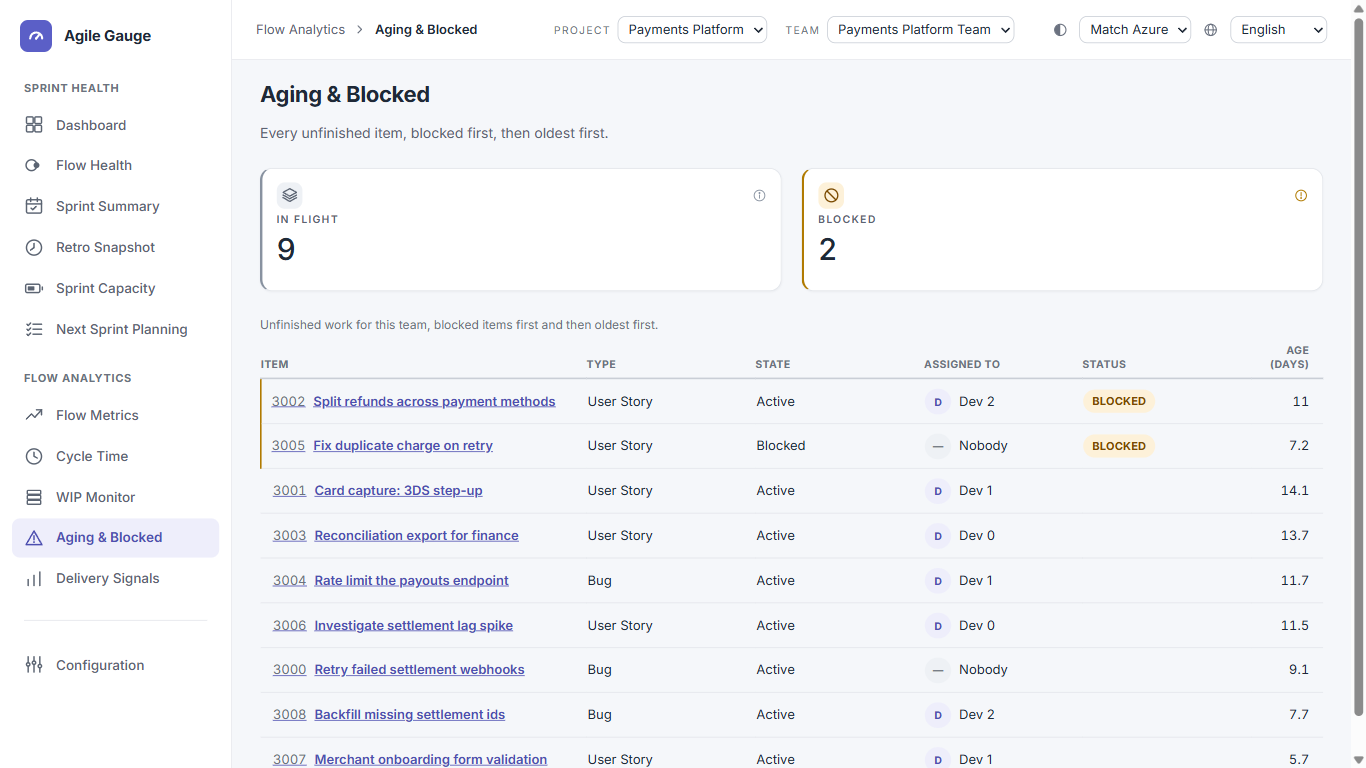
What you see
- Two figures: In flight (total unfinished items) and Blocked (how many of those are currently flagged blocked).
- A table of every unfinished item in the team's active sprint: Item, Type, State, Assigned to, a Blocked badge where it applies, and Age in days.
- If nothing is in progress right now — whether because there's no active sprint or because the active sprint is simply empty — a single message that there's nothing aging.
- A warning strip if your organization's blocked-signal settings include a custom field or board column, since this view can't read those two specific signals (see below).
How we calculate it
- Which items are listed
- Everything in the team's currently active sprint that has genuinely started — the same "in progress" definition WIP Monitor uses. There's no fallback to a past sprint if none is active.
- Age
- Calendar days (not working days) from the same start point Cycle Time uses, to now — a plain elapsed-time calculation, fractional, shown rounded to one decimal place. There's no cap on age: a genuinely multi-year-old item shows its true, very large day count rather than being excluded as an outlier.
- What counts as blocked
- Three signals are checked: the item's state name (an exact or partial match against "blocked," "on hold," "impediment" and their Spanish, Portuguese and Italian equivalents, plus anything your organization has added), a tag on the item, or a whole-word match for "blocked," "impediment" or "on hold" in the title. Two other configurable signals — a custom Azure DevOps field, and a board column — exist in Configuration but are not checked by this view; if your organization relies on either of those, the warning strip above says so.
- Sorting
- Blocked items are grouped first, then within each group (blocked or not), oldest first.
What you can click through to
Every item's name links straight to it in Azure DevOps. There's no click-through to Configuration or any other Agile Gauge view from this page.
Tip
An item's age here is measured the same way Cycle Time will eventually measure it once the item finishes — the two numbers are guaranteed to agree.
Known limits
- Scoped to the team's current active sprint only — no view across a whole backlog or across sprints.
- Only 3 of the 5 blocked signals Configuration supports are checked here (state, tag, title — not a custom field or board column).
- No working/calendar-day toggle, no age-based colour bands, and no CSV export on this view.